Can Ray-Ban Meta (Gen 2) Glasses Help You Hear Better?
The independent HearAdvisor lab tested Ray-Ban Meta's Conversation Focus and other accessibility features to see how these AI smart glasses work as hearing help.)
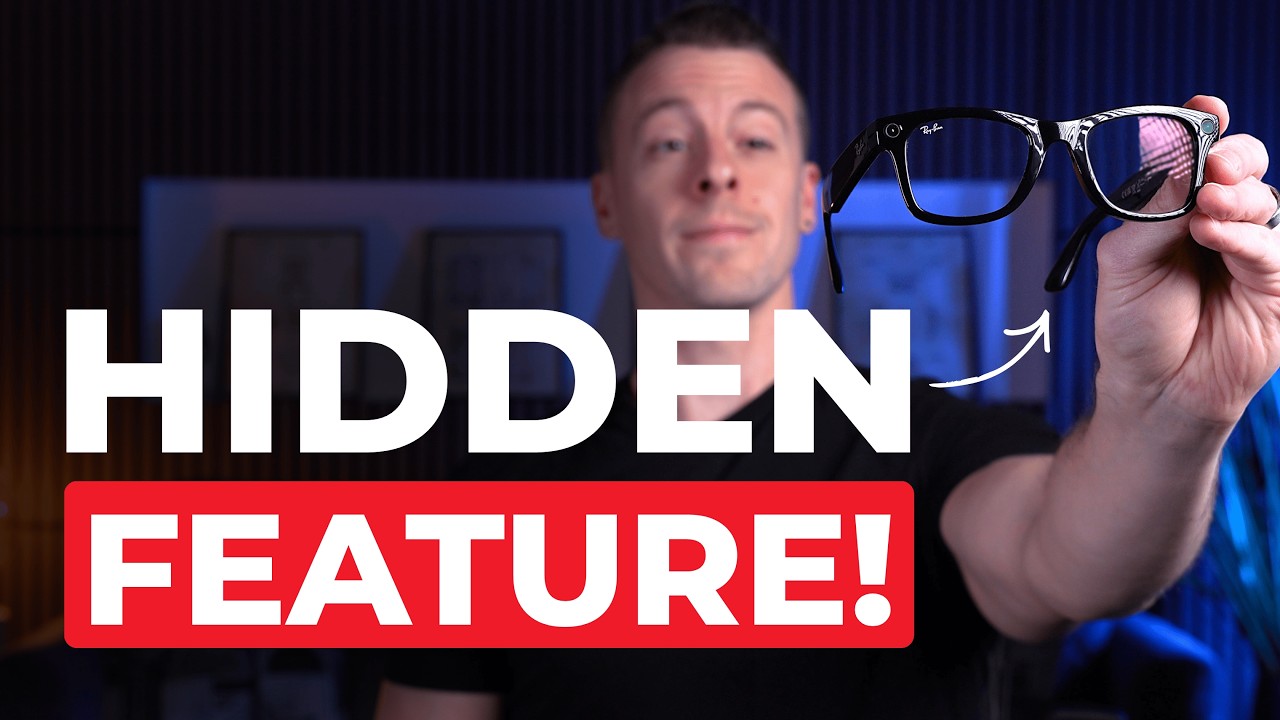
Quick Take
Lab findings from the independent HearAdvisor lab found that Ray-Ban Meta Gen 2 Smart Glasses performed well for a hearable when using the Conversation Focus feature. Although these hearing glasses were never designed as a hearing aid, Ray-Ban Meta with Conversation Focus still achieved a “B” SoundGrade from the lab and a 3.8 (out of 5) HearingTracker overall score in real-life testing. You might consider them if you’re looking for audio glasses with “lower-level” hearing help that offer wireless features like music streaming, hands-free calling, voice commands, and other “smart-glasses” functions. However, if you want audio glasses with a higher level of hearing help (but without the wireless features), I’d recommend checking out Nuance Audio Glasses. And for even better hearing help, there are, of course, many other good over-the-counter (OTC) and prescription hearing aids.
:format(webp))
What are Meta Ray-Ban Glasses and Why Did We Test Them?
Meta Ray-Ban Gen 2 AI Smart Glasses were recently introduced with a feature called Conversation Focus. Before we go any further, let’s set expectations clearly: these are not hearing aids and were not designed to compensate for hearing loss! So, why did we test them at the independent HearAdvisor lab, which typically tests hearing aids and amplification devices, as well as earplugs?
The short answer is that both HearingTracker and HearAdvisor view hearing glasses as having a bright future (pun intended) in hearing care.
Ray-Ban Meta are smart glasses that offer audio features like streaming and voice commands. However, in December 2025, Meta announced a new feature in its Gen 2 model that blurs the line between smart glasses, accessibility tech, and what many people think of as “hearing help”: Conversation Focus, which has the goal of amplifying speech and making it clearer and easier to hear.
That sounds like a hearing aid feature to me, and that’s exactly why we are taking a look at the performance of Ray-Ban Meta (Gen 2) as a hearable. We’ll cover my hands-on experiences and lab results from HearAdvisor. In the video at the top of the page, you can even listen to recordings from our acoustic manikin and hear what these glasses actually sound like in real life.
Ray-Ban Meta Basics: Cost, Options, and Features
To get some of the basics out of the way, pricing for Ray-Ban Meta (Gen 2) ranges from about $379 to $499, depending on lens options—and yes, prescription lenses will push that higher. Meta also offers a Display and Neural Band version for around $799, which I was unfortunately unable to get my hands on (we'll be adding this model to HearingTracker's captioning glasses page soon).
Overall, there are plenty of options to choose from, and you can “try them on virtually” from meta.com, which I think is kind of goofy, but maybe I’m just showing my age. Anyway, I got a good laugh trying it out.
:format(webp))
These glasses incorporate a lot of modern technology, including Meta AI integrated directly into the frames, hands-free calling, and audio streaming. They also have built-in cameras capable of recording up to 3K video, with 12-megapixel ultra-wide camera lenses embedded in the frame.
There are several reviews and tutorials available online about the general function of Ray-Ban Meta glasses. But, since this is HearingTracker, I'm going to assume you're interested in the hearing-related features.
Meta Ray-Ban glasses include two discreet open-ear speakers built into the temples and a five-microphone directional array, enabling hands-free calls, audio streaming, and their hearing-assistance feature, Conversation Focus.
:format(webp))
These audio features—combined with the cameras and Meta AI—also introduce some interesting accessibility use cases. This includes language translation and an AI feature I found genuinely impressive for describing what’s happening in front of you.
Like many hearing aids and hearables, Ray-Ban Meta glasses are rechargeable and offer audio streaming and hands-free calling for Apple iOS and Android (check your phone's compatibility before purchasing). But unlike many hearing aids, they do not have a telecoil (which allows listening to large-area loop systems) or support for Auracast broadcasts.


You should also know they have only minimal moisture and dust/dirt resistance, with an Ingress Protection rating of IPX4, meaning they are resistant to splashing water (such as light rain) but have not been formally tested for resistance to dust and dirt. The best hearing aids have much higher IP ratings (IP68), allowing them to even survive prolonged submersion (although we don't recommend trying this!).
Meta Ray-Ban (Gen 2): Real-Life Use and Testing with Conversation Focus
When tested for overall performance in real-life situations, Meta Ray-Ban earned a HearingTracker score of 3.81 out of 5. Here are the scores from our hands-on review:
Attribute Reviewed | Score (out of 5) |
|---|---|
Build Quality | 4.1 |
Battery | 2.9 |
Bluetooth | 5.0 |
App Features | 2.0 |
Comfort | 4.5 |
Design | 5.0 |
Value | 4.4 |
Handling | 5.0 |
SoundScore | 3.7 |
Pro Support | 1.0 |
OVERALL HEARINGTRACKER SCORE | 3.8 (B) |
Even though Ray-Ban Meta (Gen 2) smart glasses were not specifically designed as hearing devices, with Conversation Focus, they earned a “B” grade, which is pretty solid. I will get into several of the details below, as well as our acoustic test findings, but let’s first take a quick look at what it’s like to set up and use these glasses.
Unboxing Ray-Ban Meta Glasses
In the box, you get the glasses, a charging case, cleaning cloth, and the usual documentation.

The charging case has a nice synthetic leather feel, and the glasses sit inside with a light mechanical lock on the charging pins. There’s some rigidity here, but I definitely wouldn’t call this crush-proof like a typical hard case.
:format(webp))
One thing worth pointing out: there’s no USB-C charging cable included. So you’ll need to supply your own. Charging itself is straightforward: plug a USB-C cable into the bottom of the case, and you’re fully charged in about 1 hour, 15 minutes. According to Meta, it can be charged 50% in 20 minutes, and 80% in 45 minutes, and the charging case itself holds up to 48 hours of total usage.
Although I did not verify battery life and charging in the lab, the glasses are reported to last for up to 8 hours on a single charge. However, you can expect a lower usage time if you're using AI features like Conversation Focus, video recording, and audio streaming.


You’ll also notice a few controls right away. There’s a capture button on the right temple for photos and video, as well as a customizable touchpad on the temple that handles things like playback and calls. We’ll come back to how well those controls work a bit later.
:format(webp))
Now let’s talk about wireless features and app control. Meta Ray-Ban glasses are smart glasses, so this is one area they shine with iOS and Android control. Pairing with my iPhone was quick and painless, with no major problems.
There are a lot of camera, social, and smart-glasses features inside the app, but I’m going to skip most of those and focus on the ones relevant to hearing — mainly Conversation Focus.
As we’ve already discussed, Conversation Focus is designed to amplify voices in front of you while reducing background noise. If you've researched hearing aids before, this probably sounds familiar. While this feature was announced in December 2025, it is still only available through Meta’s Early Access Program (EAP), meaning you won’t see it in the app unless you opt in first.
How to Add Conversation Focus via Early Access
When I was first setting this up, I tried using Meta AI itself to figure out how to join Early Access; this felt like a very on-brand and hip way to do it. Ironically, that didn’t get me very far! Meta’s responses lacked context and missed the mark on explaining what the program really is and how a new user, like me, actually enables it within the Meta AI mobile app.

So here's how you get conversation focus:
- Go to Settings
- Click on Your Devices
- Click on Early Access
Once you opt in, you may not see Conversation Focus in your app right away; mine appeared in under 24 hours.
:format(webp))
Now, with the hardest part out of the way, you can start exploring inside the Conversation Focus screen. You’ll see three main modes: Off, Standard, and Boosted, along with a volume control on the bottom.
:format(webp))
There are also three ways to turn Conversation Focus on: You can 1) Enable it directly in the app, 2) Activate it with a voice command by saying “Hey Meta, start Conversation Focus,” or 3) Assign it to the touch controls on the frame—which is what I ended up doing for day-to-day use.
One last accessibility-focused feature worth mentioning here is Live Translation. You’ll find it right next to Conversation Focus in the app. The first time you use it, you’ll need to download a language pair, which is quick and easy. After that, it enables near real-time translation—and in my testing, it worked surprisingly well.
:format(webp))
HearAdvisor Acoustic Lab Testing of Ray-Ban Meta with Conversation Focus
So up to this point I was fairly impressed with these smart glasses and their features. But I love hard data and this is where our partner lab HearAdvisor comes in. So, as always, I performed various industry-standard objective tests that predict real-world audio performance for a common age-related hearing loss.


In the table below, you can see how Ray-Ban Meta glasses performed across HearAdvisor’s five sound-quality metrics, evaluated under two fitting paradigms, along with scores for Nuance Audio Glasses. Because there was no real way for me to adjust the acoustic parameters of these glasses, the Initial Fit (out-of-box) and Tuned Fit (audiologist-optimized) scores were the same (hence, just one score for each product). Overall, Ray-Ban Meta achieved a HearAdvisor SoundScore of 3.7 out of 5 and earned a "B" SoundGrade—which is solid given that these are smart glasses, not hearing aids, and offer relatively limited audio customization.
Test Condition | Meta Ray-Ban | Nuance Audio |
|---|---|---|
Speech in Quiet | 2.6 | 4.3 |
Speech in Noise | 1.3 | 2.1 |
Feedback Handling | 1.9 | 2.0 |
Own Voice | 4.7 | 4.7 |
Music Streaming | 4.3 | -- |
OVERALL HEARADVISOR SCORE | 3.7 (B) | 4.1 (A) |
There just are not a lot of smart or hearing glasses on the market, so there’s really only one obvious comparison to make: Nuance Audio hearing glasses. Nuance Audio glasses are FDA-approved OTC hearing aids, and interestingly, they share the same parent company as Ray-Ban (the vision giant Essilor-Luxottica).
When you compare the two, Nuance performs better overall, largely due to higher available gain and more fitting flexibility—which is exactly what you’d expect from an actual hearing aid. That said, neither device excels at feedback management, though Meta can have a slight edge depending on gain and program settings.

Where things get more interesting is in own-voice experience and audio streaming. On paper, own-voice scores look similar because neither device occludes the ear, which is great. But subjectively, Ray-Ban Meta stood out to me: my voice sounded more natural and less amplified through the system. And when it comes to audio streaming, Meta wins decisively, because Nuance doesn’t support wireless audio at all.
If you want to dig deeper or make direct comparisons, you can explore the full data at HearAdvisor.com. In the video at the top of the page, I've also included a number of audio files that compare Meta Ray-Ban smart glasses using the Standard and Boosted programs in different listening environments, such as a busy café and while listening to music.
The Bottom Line
So after all of that, where does Meta RayBan (Gen 2) land? Well, I was genuinely excited to try Ray-Ban Meta glasses, and I think they can be a great product for the right person. They’re best suited for people on the very low end of needing hearing help—and I say that for a few clear reasons: limited adjustment options, lower overall gain (volume), feedback issues at higher amplification levels, and the simple reality that all of this is built into glasses (which won’t work for everyone).
That’s not a knock; it’s just context. As I said before, these are smart glasses, not OTC hearing aids, and once you frame them that way (okay, a bad pun), the strengths and limitations make a lot more sense.
There also isn’t much of a market for hearing glasses—yet. If you specifically want hearing or smart glasses, the choice is basically between Ray-Ban Meta and Nuance Audio, which again share the same parent company. So the decision really comes down to what you value more: smart features and audio streaming, or hearing-specific customization. Although we haven't tested them yet, we're also very interested in the Meta Ray-Ban Display glasses' live-captioning + amplification capabilities.
Here's a summary of the key Pros and Cons of Meta Ray-Ban:
What we liked about Meta Ray-Ban
Conversation Focus: The directional microphones are genuinely impressive. Speech coming from directly in front of you is boosted effectively.
Natural Own Voice: My own voice barely made it into the amplified signal—a big deal since own-voice issues were a common complaint with Nuance Audio, and with Meta Ray-Ban it’s almost nonexistent.
Good Bluetooth Streaming: Audio streaming is relatively full without blocking your ears or isolating you from your surroundings.
Comfort and Open-Ear Design: The speaker placement above the ear means no occlusion, no sweaty ears, and no pressure fatigue with long-term use.
Live Translation and Accessibility Extras: The translation feature genuinely impressed me, and Meta AI’s visual descriptions open the door to much broader accessibility use cases. If you opt for the more expensive Display version, you can also expect speech-to-text capabilities that appear right on the lenses. I can easily see real value here for people with hearing loss, low vision, memory concerns, or other accessibility needs—and with the possibility for great future developments.
Drawbacks
Limited Controls: With Conversation Focus, you basically have three options: normal, louder, and volume. That doesn’t allow much personalization, especially in a world where we’re used to deep customization from smart devices. I understand these aren’t hearing aids, but this feels like low-hanging fruit for Meta. By comparison, Nuance Audio offers significantly more control.
Speech Clarity and Sound Quality: You can argue that it's not an apples-to-apples comparison, but in terms of raw speech clarity, these still fall below good-quality OTC and prescription hearing aids. Some people will also notice a slightly metallic or “phasey” quality of the sound due to the mix of open-ear and amplified audio.
Voice Commands: While this should be a plus, I thought the Voice Commands were underwhelming; simple fact-based questions worked fine, but anything requiring detail quickly fell apart. Ray-Ban Meta glasses aren’t Jarvis, and it’s not a conversational AI assistant yet (see the video above).
No Active Noise Cancellation: Although open-ear amplification has its advantages, Ray-Ban Meta doesn't offer ANC, unlike other smart devices like AirPods Pro.
Fit & Comfort: I ran into some comfort issues related to the plastic seam along the temple: it occasionally scratched my skin or pulled my hair—not a dealbreaker, but it was slightly annoying at times.
Dr Steve Taddei
Doctor of AudiologySteve Taddei, Au.D., merges his audio engineering degree from Columbia College Chicago with his doctorate in audiology from Northern Illinois University to advance hearing technologies and raise hearing loss awareness as the Lab Director at HearAdvisor. He also contributes consumer-focused hearing aid and earplug reviews at HearingTracker.com, and inspires future professionals through his adjunct faculty roles at several colleges, encouraging the next generation to discover and pursue their passions.